How to Use LinkedIn for Networking
Learn how to use LinkedIn for networking with connect, follow and note rules from LinkedIn Help, plus the 30,000 connection cap and the spam restriction.

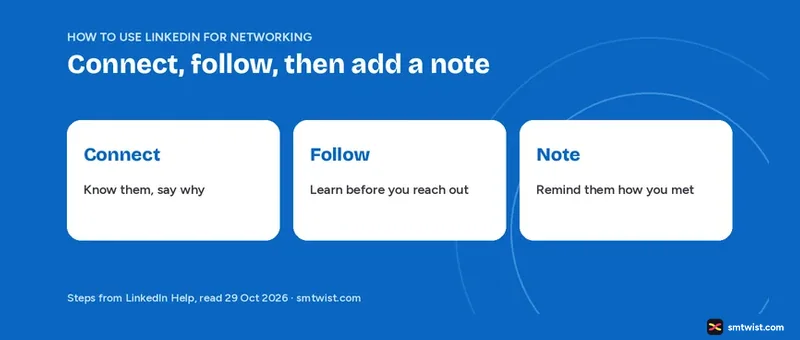
Networking on LinkedIn comes down to two moves, connecting with people you know and following people you want to learn from. Here is how to use LinkedIn for networking in four habits, with the 30,000 connection cap, the spam restriction and the note limits. Every fact below was checked against the LinkedIn Help text on 29 October 2026.
How to Use LinkedIn for Networking in 4 Habits
Four habits cover what LinkedIn Help says about building a network.
- Connect only when you have a clear professional reason.
- Follow people you do not know yet.
- Add a short note when you met recently.
- Stay inside the invitation rules.
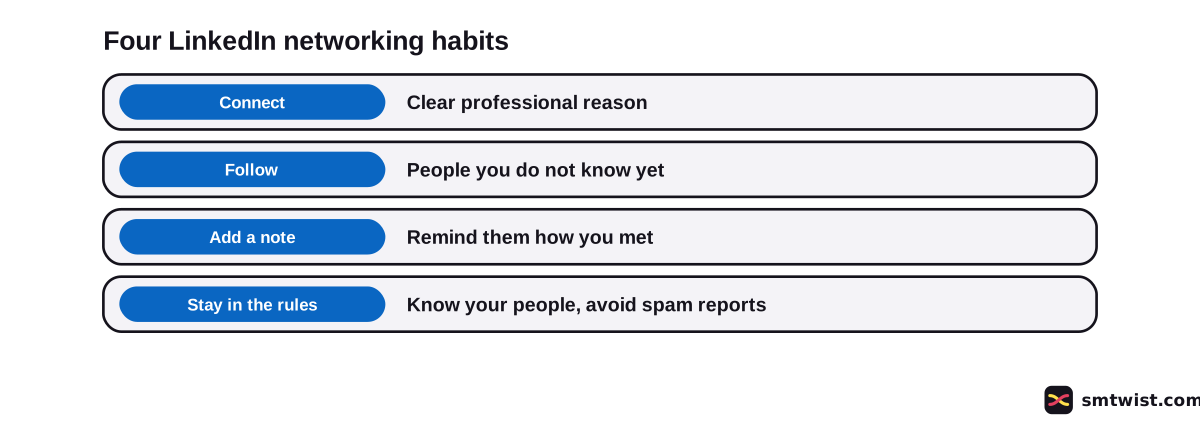
Every habit below has a LinkedIn Help rule behind it.
Connect With a Clear Reason
An invitation creates a 1st-degree connection. LinkedIn Help says connected members can message each other and see more of each other's profiles. Connecting works well when you worked or studied together, met at an event or are continuing a conversation. Sending invitations by a bot is a different matter, and the LinkedIn automation rules say why LinkedIn restricts it.
Three places let you send or accept an invitation.
- A member's profile, where you click Connect. If Follow is the main button, select More and then Connect.
- People you may know, where LinkedIn suggests members to connect with.
- My Network, where you accept pending invitations.
You need a primary email address on the account before you can send any of them.
Should You Follow Before You Connect?
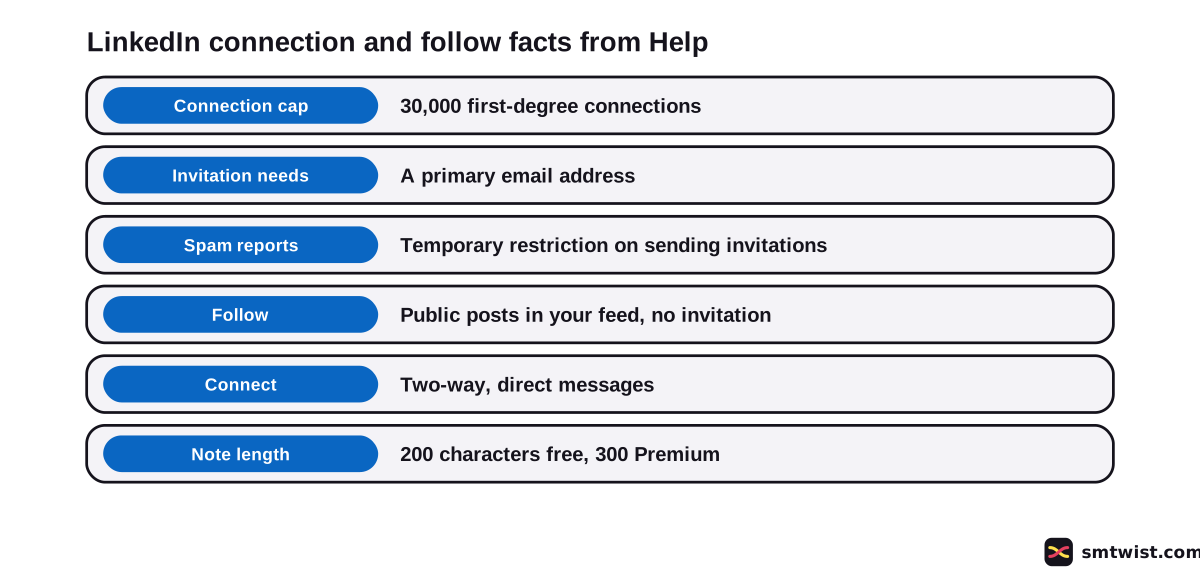
Following lets you learn from a member's content, while connecting builds a two-way relationship. You see their public posts and articles in your feed without an invitation. You are not part of their network, and they do not automatically see your posts. Followers are also what you grow on purpose, as how to get more followers on LinkedIn explains.
Help gives a short table for the choice. Four situations are listed.
| Your situation | What LinkedIn Help advises |
|---|---|
| You know them from work, school or community | Connect |
| You do not know them but enjoy their posts | Follow |
| You met them recently at an event | Connect with a note, which reminds them how you met |
| You are exploring a new field | Follow to find thought leaders before reaching out |
One quirk matters if a profile shows Follow in place of Connect. When you connect from the overflow menu, you follow the member automatically while the invitation is pending. If they decline, you keep following until you unfollow.
Your own posts are the other half of this habit, and the steps for posting on LinkedIn show how to give people a reason to follow you back.
Add a Note When You Met Recently
The table above pairs a recent meeting with a note, and the note job is short. Say where you met and why you are writing. A personalized note allows 200 characters on a free account and 300 on Premium.
Help gives two different counts for monthly free notes. One article says 3 and another says 5, and our LinkedIn character limit guide documents both. Our LinkedIn beginners guide shows where the note box sits in the first week of a new account.
What are the Invitation Rules?
Send invitations to members you know and trust, says Help. Reports of an invitation as unwanted or spam can lead LinkedIn to restrict your account from sending invitations for a while.
Watch the prompt How do you know [name]? too. When you answer We don't know each other, LinkedIn can ask you to send a message first, depending on the recipient's messaging settings, and Help adds that it could be an InMail.
How to Use LinkedIn for Networking Without a Restriction
Put the rules together and a safe routine appears. Start with members you can name a reason for, follow the rest and write the note before you click Connect.
LinkedIn Help ties the restriction to reports from members. Every invitation should make sense to the person who receives it. If you get unwanted invitations yourself, how to report someone on LinkedIn shows where the report option sits.
Check the reason first, then the button. If you worked, studied or met at an event, connect and say so. If you only enjoy a member's posts, follow them and wait for a real conversation.
How Many Connections can You Have?
LinkedIn Help sets the cap at 30,000 first-degree connections. The same articles give no special rule at 10,000, and the Help text we read has no daily invitation cap. Posts that mention a 4+1 rule are opinion, because LinkedIn Help does not define it.
Other Ways to Meet People on LinkedIn
Moves beyond a direct invitation get a mention too. LinkedIn Help lists these in its job search tips article for people with a professional relationship in mind. These four extend how to use LinkedIn for networking beyond the Connect button.
- Connect with members you have a professional relationship with.
- Join Groups that match your field.
- Send an InMail to the person who posted a job.
- Follow a company profile and engage with its content.
Job seekers can combine them with the job search steps on LinkedIn. Once you connect, profile visits become a topic of their own, covered in our walkthrough of who has viewed your profile.
What is Still Unconfirmed?
We sent no invitation from a live account, which makes the label Checked. The Help articles are months old and a button name can differ on your screen.
The articles give no response rate for connection notes and no daily limit on invitations. It also gives no rule for 10,000 connections. A blog post that names another limit than 30,000 is not quoting these articles.
Where This Guide Fits
Networking comes after setup. The cluster LinkedIn Account Setup and First Steps groups it with the other early moves, and the LinkedIn section lists every guide.
Without a profile, create the account before you invite anyone. Our editorial policy explains the Checked label.
Sources
- LinkedIn Help: Various ways to connect with people on LinkedIn, read 29 October 2026, where to send invitations, the 30,000 cap, the primary email rule, the spam restriction and the We don't know each other prompt.
- LinkedIn Help: Follow and connect on LinkedIn, read 29 October 2026, the follow versus connect table and the follow while pending rule.
- LinkedIn Help: Find jobs on LinkedIn (tips article), read 29 October 2026, Groups, InMail and following a company profile.
This guide is labelled Checked. We compared each habit with the three Help articles above and sent no invitation from a live account. How we label guides explains the three labels.
FAQ
How do you network with LinkedIn?
Connect with people you know, follow people you want to learn from and add a short note when you met recently. LinkedIn Help says a clear professional reason works well for an invitation.
How many connections can you have on LinkedIn?
30,000 first-degree connections, says LinkedIn Help. Following a member is a different relationship from connecting.
What happens when you get 10,000 connections on LinkedIn?
LinkedIn Help names no rule for 10,000 connections. The only cap it states is 30,000 first-degree connections.
What is the 4+1 rule on LinkedIn?
LinkedIn Help does not define a 4+1 rule. It is not a LinkedIn term in the articles we read. Treat posts that quote it as someone's own method.
Is LinkedIn good for networking?
Yes, when you use the tools for what they do. LinkedIn Help describes connecting as a two-way relationship with direct messages and following as a way to learn from content. Help gives no response rate. Results depend on who you contact and why.
Should I follow or connect with someone on LinkedIn?
Connect if you know them from work, school or your community. Follow if you do not know them but enjoy their posts. LinkedIn Help advises a note with the invitation when you met recently.
Why can't I send connection requests on LinkedIn?
LinkedIn Help warns that reports of invitations as unwanted or spam lead to a temporary restriction on sending invitations. You also need a primary email address to send invitations.
How long can a LinkedIn connection note be?
200 characters on a free account and 300 on Premium. Our beginners guide covers the monthly note count, where LinkedIn Help gives two different numbers.
Do I have to know someone to connect with them?
LinkedIn Help says to send invitations only to people you know and trust. If you answer We don't know each other when LinkedIn asks how you know the member, LinkedIn can ask you to send a message first.
 Editor
Written by
Namrata Arora
Namrata Arora is a social media expert with two years of hands on experience on Instagram, Facebook and other platforms. She writes the how to guides on Social Media Twist and tries the steps on a real account for every guide marked Tested.
- Marks every guide Tested or Checked
- Writes about Instagram, Facebook, TikTok
- 43 guides on SMTwist
Guest posts are edited by SMTwist before they go live. Paid or affiliate links are labelled and carry rel="sponsored".