Best Time to Post on LinkedIn in 2026
Best time to post on LinkedIn: what LinkedIn Help says about timing, why no single hour fits everyone and how to test your own slot with post analytics.

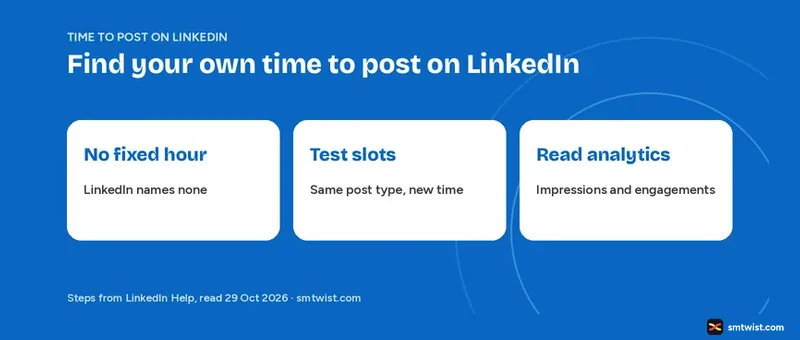
Choosing the time to post on LinkedIn feels like a guess because LinkedIn does not hand you a winning hour. This guide reports what LinkedIn Help says about timing, labels what outside studies claim and gives you a method to find the slot that works for your audience. Every LinkedIn fact comes from LinkedIn Help and a LinkedIn Business blog article, with the dates printed in the sources.
What LinkedIn Says About the Right Time to Post
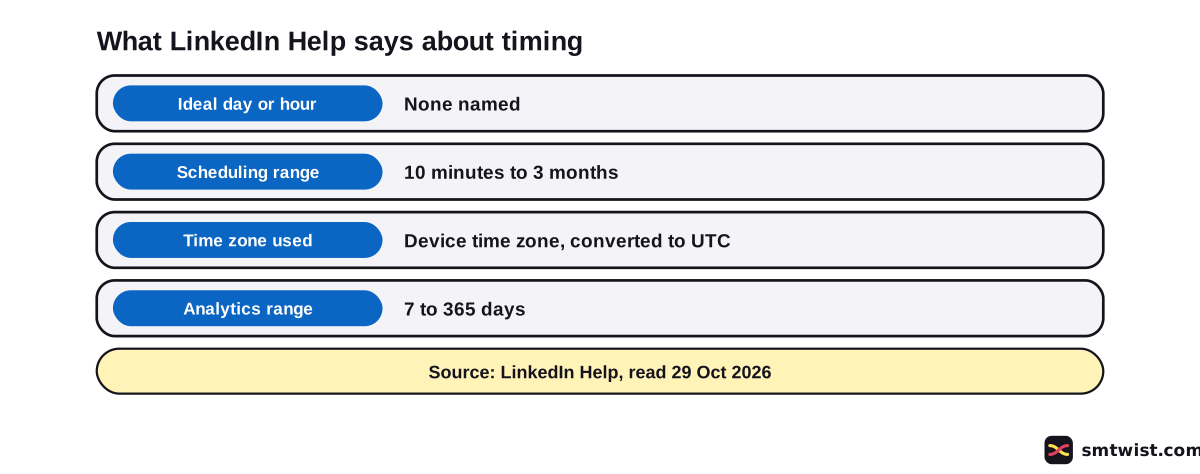
No day and no hour wins in LinkedIn Help. We opened its scheduling article and its combined post analytics article on 29 October 2026, and neither states an ideal time. Our LinkedIn Analytics and Growth topic records the same gap.
Scheduled times do follow a rule. You set a date and time with the clock icon, and LinkedIn converts it into UTC using your device clock settings. The full steps are in our guide to scheduling LinkedIn posts.
What LinkedIn's Own Blog Says About Timing
A LinkedIn Business blog article dated 25 July 2024 calls the question complicated. It says members log in around the clock from every time zone. Because the article is over two years old, read it as background and not as a current rule.
The blog sums up three studies from marketing partners and says they share themes but also contain conflicting data points. It adds that the studies seem to agree on weekdays. We do not print their days and hours because they are third party figures that LinkedIn calls inconsistent.
Two lines from the blog matter most. LinkedIn writes that in its own experience nothing replaces testing, and it says timing is less important than substance when you want content seen. It also suggests testing headlines, copy and images at different times of the day.
Why One Time to Post on LinkedIn Cannot Fit Everyone
Three facts from LinkedIn explain why your numbers can differ from another account's. Every one changes who sees a post and when.
- Time zone. Your scheduled time converts to UTC from your device settings, and members in other zones read their feed at a different local hour.
- Audience setting. A post shared with connections only reaches a smaller group, which keeps its impressions lower.
- Posting limits. If LinkedIn detects excessive post creation or an automation tool, it can limit the visibility of those posts.
The link between time zones and your audience is our reading of the UTC rule. The LinkedIn blog makes the same point when it says members log in from every time zone.
How to Find Your Time to Post on LinkedIn
Follow these six steps to test timing with your own account. LinkedIn Help gives the analytics screens, and the method is our suggestion.
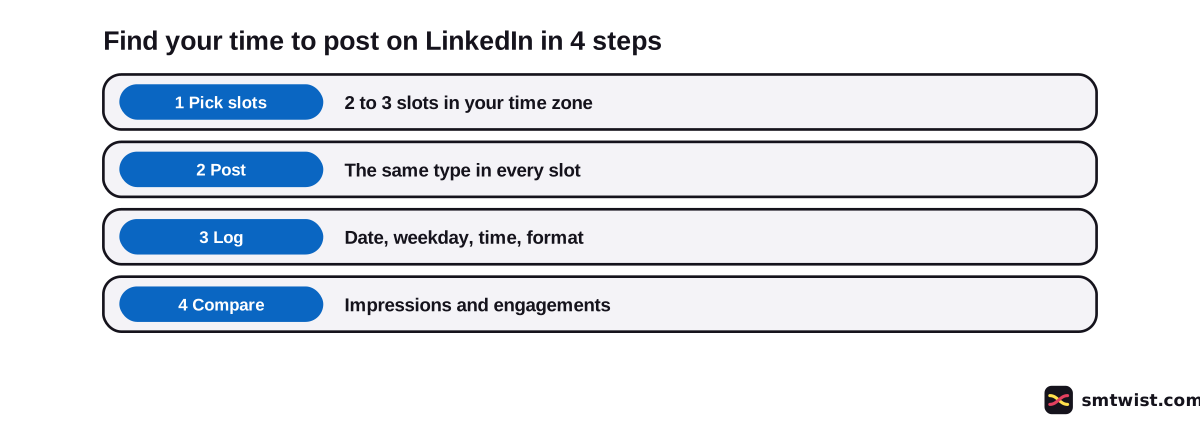
- Choose two or three slots in your own time zone, such as a weekday morning and a weekday evening.
- Post the same type of content in every slot. A text post and a video are not a fair match.
- Use the clock icon to schedule and the minute is exact. Write down the date, weekday, time and format.
- After the same number of days for every post, click Me, then Posts & Activity, open the tab for your post and click the impressions number.
- Note impressions, the In network and Out of network split and engagements in your log.
- Open combined analytics, set a date range from 7 to 365 days and switch the view between impressions and engagements. Choose the daily view to see how posts did every day, and export the data to an .XLSX file if you want a sheet.
The post table in combined analytics lists posts created in the range you pick and shows lifetime totals, which do not change with the range. The Help article does not say whether the export lists the time of every post. Keep your own log.
Combined analytics is desktop only for now, and LinkedIn Help says it reaches members step by step. Some accounts cannot see it yet.
Which Numbers Show a Stronger Slot?
Compare posts on impressions, engagements and the out of network share. The counting rules for every number are in what impressions on LinkedIn are.
LinkedIn Help calls the numbers estimates. A small gap between two slots proves nothing.
Your own history makes the test fair. Compare a new post with your last ten posts of the same type, and repeat a slot at least three times before you judge it. Three is our suggestion and not a LinkedIn figure.
| What to log | Where you read it |
|---|---|
| Date, weekday and time | Your own sheet or the scheduled post |
| Impressions | Post analytics under the post |
| In network and out of network share | Post analytics under the post |
| Engagements | Post analytics or combined analytics |
Is Tuesday, Friday or the Weekend the Right Slot?
No answer for any weekday or weekend appears in LinkedIn Help. Searchers ask about Monday, Friday, the weekend and today, and the same test answers all of them. Add a weekend slot to your sheet beside a weekday slot and let your numbers decide.
For a quick check today, open your last posts and compare the slots you already used. The analytics guide shows where each screen sits.
Does Timing Matter More Than the Post?
No figure in LinkedIn Help links timing to results, and the blog article above puts substance first. We also found no official number that ties one posting habit to a set count of impressions. A weak post at a popular hour is still a weak post.
How many times you post is its own question. Read how often to post on LinkedIn for that, and keep automation out of your plan because LinkedIn Help says it can limit visibility.
What is Still Unconfirmed
Neither Help article gives an ideal day or hour. LinkedIn's only timing advice is the July 2024 blog article, which is over two years old and relays partner studies.
Terms like golden hour and the 4+1 rule appear in search results. We read no Help article that defines them.
Slot tests on a live account are missing from our work, which makes this guide Checked. Menu names can differ on your screen.
Where This Guide Fits
Timing sits inside the LinkedIn Analytics and Growth topic in the LinkedIn section. Write the post first with how to write a LinkedIn post.
What Checked means is set out in the editorial policy.
Sources
- LinkedIn Business blog on the time to post content, dated 25 July 2024 and read 29 October 2026, the timing advice and the testing advice.
- LinkedIn Help: Schedule posts, read 29 October 2026 and updated three weeks earlier, the clock icon, the range and the UTC rule.
- LinkedIn Help: Combined post analytics, read 29 October 2026 and updated a week earlier, the date range, the metric toggle and the export.
- LinkedIn Help: View post analytics for your content, read 25 October 2026, the steps for one post.
- LinkedIn Help: Post analytics for your content, read 25 October 2026, the estimate warning and the data windows.
- LinkedIn Help: Post and share updates, read 25 October 2026, the note on limited visibility.
This guide is labelled Checked. We compared the method with the Help articles above and tested no posting slot on a live account. How we label guides explains the three labels.
FAQ
What is the right time to post on LinkedIn?
LinkedIn Help names none. Post the same type of content in two or three slots and compare impressions and engagements in your own analytics.
Which day is right to post on LinkedIn?
LinkedIn Help names no day. A LinkedIn Business blog article dated 25 July 2024 says three partner studies agree on weekdays but conflict on the exact days and hours.
Does LinkedIn show when my audience is online?
No such view appears in the Help articles we read. Post analytics shows impressions, the in network and out of network split and engagements. You compare slots yourself.
Which time zone does a scheduled LinkedIn post use?
Your device time zone. LinkedIn Help says scheduled times convert to UTC based on your device settings.
How many times should I test one posting slot?
Three times is our suggestion and not a LinkedIn figure. Compare every result with your last ten posts of the same type.
How do I see the impressions of a LinkedIn post?
Click Me, then Posts and Activity, open the tab for your post and click the impressions number. You can also click View analytics in the lower right corner of the post.
Is there a golden hour for LinkedIn posts?
LinkedIn Help does not define one in the articles we read. Treat the term as a third party idea until your own numbers show it.
Can I schedule a post for the time I choose?
Yes. The clock icon in the post window sets a date and time from 10 minutes to 3 months ahead for a personal profile, says LinkedIn Help.
 Editor
Written by
Namrata Arora
Namrata Arora is a social media expert with two years of hands on experience on Instagram, Facebook and other platforms. She writes the how to guides on Social Media Twist and tries the steps on a real account for every guide marked Tested.
- Marks every guide Tested or Checked
- Writes about Instagram, Facebook, TikTok
- 43 guides on SMTwist
Guest posts are edited by SMTwist before they go live. Paid or affiliate links are labelled and carry rel="sponsored".