LinkedIn Ad Sizes and Specs
LinkedIn ad sizes for single image, carousel, video, document, text, message and connected TV ads, with file caps, text limits and source conflicts.

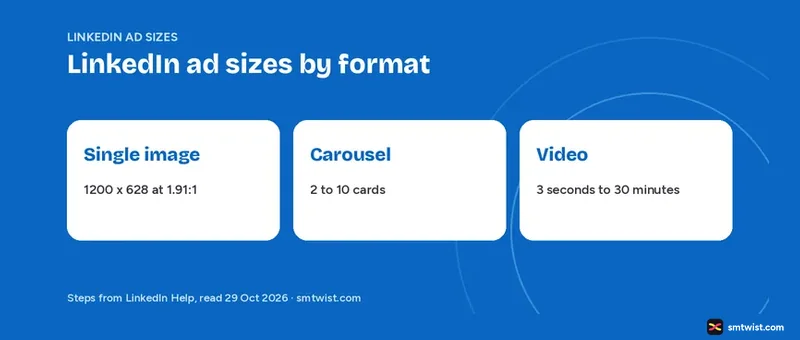
LinkedIn ad sizes change with the format, and LinkedIn publishes them in a separate Help article for every format. This guide collects LinkedIn ad sizes into one table per format, with the article age beside the numbers. Every figure comes from LinkedIn Marketing Solutions Help or the LinkedIn business site, read on 29 October 2026.
Help shows only relative ages like "3 months ago". Every lead-in below gives the article age at the time we read it. Campaign Manager now uses ad account, campaign, ad set and ad, while older articles still say campaign group and campaign.
The size rules do not depend on that naming.
LinkedIn Ad Sizes at a Glance
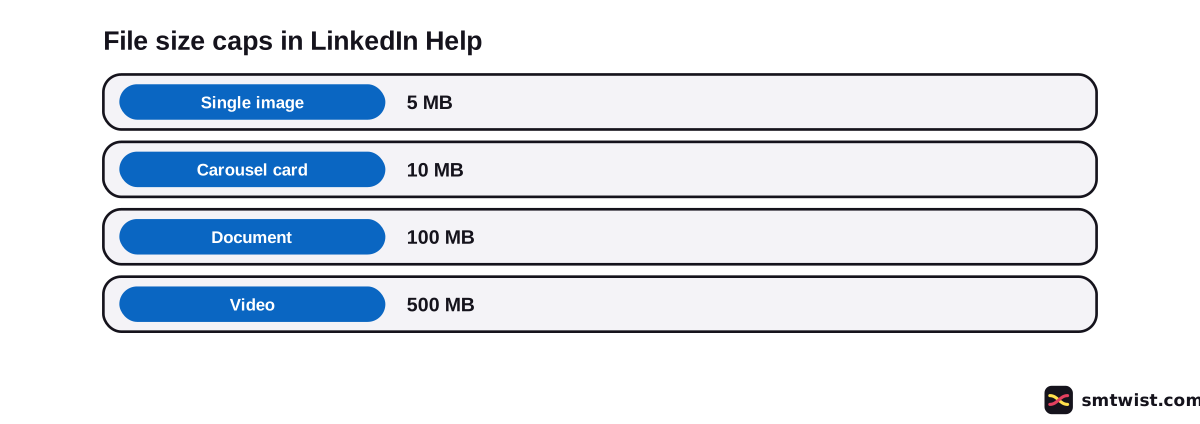
Six formats have a headline file cap in Help. This table of LinkedIn ad sizes puts them side by side with the age of the article that states every cap.
| Format | File cap | Help article age |
|---|---|---|
| Single image | 5 MB | 3 months |
| Carousel card | 10 MB | 11 months |
| Document | 100 MB | 11 months |
| Video | 500 MB | 3 months |
| Connected TV video | 500 MB | 1 month |
| Text ad image | 2 MB | 2 years |
Pixel sizes follow below. Check any of these LinkedIn ad sizes on the Campaign Manager screen, because the steps in how to launch LinkedIn ads put the upload field after the objective and audience choices.
What are the Single Image LinkedIn Ad Sizes?
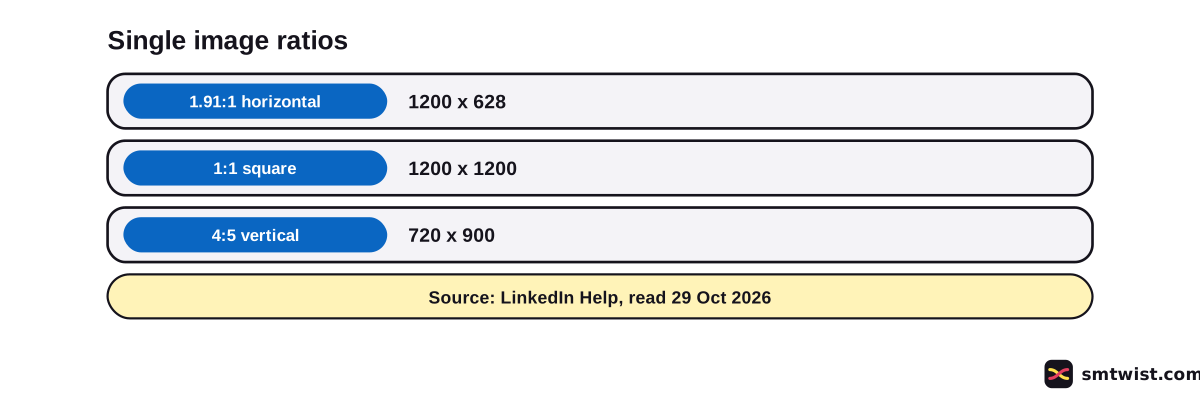
LinkedIn Help lists three ratios of single image LinkedIn ad sizes in an article that was 3 months old at reading. Horizontal and vertical 4:5 are the ratios it marks as suggested.
| Ratio | Suggested and minimum | Maximum |
|---|---|---|
| 1.91:1 horizontal | 1200 x 628, minimum 640 x 360 | 7680 x 4320 |
| 1:1 square | 1200 x 1200, minimum 360 x 360 | 4320 x 4320 |
| 4:5 vertical | 720 x 900, minimum 360 x 640 | 2430 x 4320 |
File types are JPG, PNG or GIF, and an animated GIF must be 250 frames or shorter. Images less than 401 pixels wide display as a thumbnail image. Direct upload takes up to 5 images, and the image templates are square or vertical.
Three text fields have both a truncation point and a hard maximum. The table shows the count of characters including spaces, emojis and punctuation.
| Field | To avoid truncation | Maximum |
|---|---|---|
| Introductory text | 150 | 3,000 |
| Headline | 70 | 200 |
| Description | 100 | 300 |
Help adds that intro text takes up to 10 emojis, and a URL over 23 characters becomes a short link. Ad name allows 255 characters and the destination URL 2,000. Description shows on mobile and desktop only when the image is under 200 pixels wide or the ad serves on the LinkedIn Audience Network, where the limit can differ.
LinkedIn suggests vertical ratios, but paid vertical assets serve on mobile only. A 1:1.91 image used as vertical gets borders, and 4:5 avoids them. Square and vertical images get cropped when the ad is shared organically.
What are the Carousel Card Limits?
The carousel article was 11 months old at reading. Seven limits shape LinkedIn ad sizes for cards.
| Item | Help figure |
|---|---|
| Cards | 2 to 10 |
| Card image | JPG, PNG or non-animated GIF, 10 MB |
| Card size | 1080 x 1080 suggested, 4320 x 4320 maximum |
| Display | Scaled to 312 x 312 |
| Intro text | 150 to avoid truncation, 255 maximum |
| Card headline | 45 characters, two lines before truncation |
| Destination URL | 2,000 characters |
Every card can have its own URL, but with a Lead Gen Form all cards link to the same form. Video cards are not allowed, and you cannot edit cards after the ad is saved.
A separate carousel article, 3 years old at reading, advises starting with 3 to 5 cards and says other sizes show with gray letterboxing. Our LinkedIn carousel guide covers the organic version.
LinkedIn Ad Specs for Video
The video article was 3 months old at reading. These LinkedIn ad sizes cover four ratios.
| Ratio | Suggested | Minimum and maximum |
|---|---|---|
| 16:9 horizontal | 1920 x 1080 or 1200 x 675 | 640 x 360 to 1920 x 1080 |
| 1:1 square | none stated | 360 x 360 to 1920 x 1920 |
| 4:5 vertical | 720 x 900 | 360 x 450 to 1080 x 1350 |
| 9:16 vertical | 720 x 1280 | 360 x 640 to 1080 x 1920 |
Help marks 4:5 as the suggested vertical ratio. The file rules sit in a second table.
| Item | Help figure |
|---|---|
| Length | 3 seconds to 30 minutes |
| File size | 75 KB to 500 MB |
| Format | MP4 with H.264 or VP8 |
| Frame rate | Less than 30 FPS |
| Audio | AAC or MPEG4 |
| Captions | SRT only |
| Thumbnail | Optional JPG or PNG, 2 MB maximum, same ratio and resolution as the video |
| Not supported | Apple ProRes |
LinkedIn suggests 15 to 30 seconds to qualify for all placements across the LinkedIn Feed and Audience Network. In-stream video ads, still in testing and released gradually, reach 90 seconds. Videos under 30 seconds loop until at least 30 seconds of playback, and longer videos play once.
Intro text takes 150 characters to avoid truncation and 3,000 at most, with up to 10 emojis. Headline takes 70 and 200. More than four emojis, symbols or repeated characters can get the ad rejected.
YouTube and Vimeo links are not accepted. The upload must come from a desktop, and the limit is 25 videos in 24 hours. Posting rules for video outside ads live in our LinkedIn video guide.
Document, Text and Dynamic Ad Limits
Document ads come from an article updated 11 months before reading. The file cannot exceed 100 MB, and Help sets a 300 count limit on length. Up to five documents attach, with a word limit of 1 million.
File types are PPT, PPTX, DOC, DOCX and PDF, while the lead generation objective supports PDF only.
Videos and animations show as static images, and hyperlinks are clickable only after a member downloads the document. Intro text takes 150 to avoid shortening and 3,000 at most. Headlines take 70 and 200.
Four smaller formats have their own LinkedIn ad sizes articles. Their ages are text 2 years, spotlight 2 years, follower 1 year and dynamic jobs 2 years.
| Format | Image rules | Text limits |
|---|---|---|
| Text ad | 100 x 100, JPG or PNG, 2 MB or smaller | Headline 25, description 75, URL 500 |
| Spotlight ad | Logo minimum 100 x 100, background exactly 300 x 250 and 2 MB or smaller | Description 70, headline 50, company name 25, button text 18, URL 500 |
| Follower ad | Logo minimum 100 x 100, JPG or PNG | Description 70, headline 50, company name 25 |
| Dynamic jobs ad | Logo minimum 100 x 100 | Headline 70, company name 25, custom button label 44 |
Spotlight and follower ads show on desktop, and follower ads allow no third-party tracking. Every format above uses a 255 character ad name.
The text ad article lists the desktop right rail sizes 300 x 250, 700 x 17 as written, 160 x 600, 728 x 90 and 496 x 80. Its age is the reason to confirm those sizes on screen.
Message, Conversation and Event Ad Limits
Conversation and message ads were both updated 4 weeks before reading. The table sets their LinkedIn ad sizes and limits side by side.
| Field | Conversation ad | Message ad |
|---|---|---|
| Subject | 60 | 60 |
| Message text | 8,000 | 1,500 |
| Emojis | Up to 10 | 10 |
| Button text | 25 | 20 |
| Banner | 300 x 250 maximum, JPG or PNG, 2 MB, desktop only | 300 x 250 maximum, JPG, non-animated GIF or PNG, 2 MB, desktop only |
| Image | 250 x 250, JPG or PNG, 5 MB | none stated |
| Landing URL | 2,000 | 1,024 |
| Footer | 20,000 | 20,000 |
A conversation ad takes up to five buttons per message and 50 per conversation, and Not Interested is required and counts as one of the five. Its response message takes 8,000 characters. A message ad takes up to 3 links with hyperlinked text of 70 characters.
Event ads, updated 3 months before reading, allow optional intro text up to 600 characters that stays the same before, during and after the event. The ad image is optional and replaces the cover image, with no size stated, and the video preview is a 30 second clip of a LinkedIn Live Event. Single job ads, updated 1 year before reading, allow 150 characters of intro text to avoid truncation and 3,000 on desktop.
Thought Leader, Article and Newsletter Ads
Thought leader ads have no table of LinkedIn ad sizes. The Help article, 3 days old at reading, says the content must meet the single image, video and document specs above.
The post must be public and the member profile must show a full name. Celebrations, polls, multi-image posts and reposts are not eligible, and single image, video or document versions have no call to action button.
Article and newsletter ads, updated 3 months before reading, use the original post image and you cannot change it. Articles support brand awareness, engagement and lead generation, while newsletters support brand awareness and engagement only.
Connected TV and Lead Gen Form Specs
The connected TV article was updated 1 month before reading, and its LinkedIn ad sizes are video only.
| Item | Help figure |
|---|---|
| Size | 1920 x 1080 suggested or 1280 x 720, 16:9 |
| File | MP4, H.264, 500 MB maximum |
| Bit rate | 1.2 Mbps or higher, 15 to 40 Mbps suggested |
| Duration | 6, 15, 30, 45, 60, 75 or 90 seconds, with 6, 15, 30 and 60 suggested |
| Frame rate | Constant 23.98, 24, 25, 29.97 or 30 fps |
| Audio | 2-channel, -23 LUFS, PCM or AAC, 192 Kbps minimum, 48 kHz |
| Chroma | 4:2:0, with 4:2:2 suggested |
Help adds that some inventory does not accept 75 or 90 seconds.
Lead Gen Forms, updated 3 months before reading, use a form image suggested at 552 x 200. Headlines take 60 characters, details 160, privacy policy text 2,000, the confirmation message 300 and the landing URL 2,000. A form allows up to 12 profile fields, 3 custom questions of 100 characters, 5 disclosure checkboxes of 500 characters and 20 hidden fields.
Where do LinkedIn Ad Sizes Differ Between Help and the Business Site?
Five fields show a different number in LinkedIn Help and on the LinkedIn business site. LinkedIn ad sizes therefore depend on which source you open. The business site articles show no date, and Help dates are relative to 29 October 2026.
| Field | LinkedIn Help | Business site |
|---|---|---|
| Video intro text | 3,000 maximum, updated 3 months ago | 600 maximum |
| Carousel intro text | 150 to avoid truncation, 255 maximum, updated 11 months ago | 255 characters |
| Single image description | 100 to avoid truncation, 300 maximum, updated 3 months ago | 70, LAN only |
| Thought leader document | Listed as eligible, updated 3 days ago | A document cannot be promoted |
| Video frame rate | Less than 30 FPS | 30 frames per second suggested, with 5% aspect ratio tolerance |
The business site also lists vertical single image ratios 1:1.91 at 628 x 1200, 2:3 at 600 x 900 and 4:5 at 720 x 900. For carousels it says JPG or PNG only and at least 1080 x 1080, where Help also allows non-animated GIF. For thought leader ads it says you cannot add a headline, intro text, URL or call to action.
Help figures lead in this guide because Help shows dates.
Confirm any disputed field on the Campaign Manager screen before you design to it. The intro text gap matters most, since it changes how much copy you can write for the same video. Our LinkedIn character limit guide covers organic post limits, which differ from ad limits.
What is Still Unconfirmed?
No ad was built or run in Campaign Manager to test these LinkedIn ad sizes. Click-to-message ad specifications, Help article a1383247, returned a 404 error twice, and the business site address redirected to the general ads screen. No click-to-message numbers appear here.
Neither the Audience Network placement sizes article nor the business site text ad article was read. The video article writes audio size as "Less than 64KHz", and we repeat it as written. Budget questions belong to a separate article, how much LinkedIn ads cost.
Where This Guide Fits
LinkedIn ad sizes come after you choose a format. Format choice and setup order are in LinkedIn Ads Formats and Setup, a topic inside the LinkedIn hub.
Our sizes follow LinkedIn's own articles. Read the editorial policy for what Checked means.
Sources
- LinkedIn Help: Sponsored Content overview, read 29 October 2026, the index of format spec articles.
- LinkedIn Help: Single image ads advertising specifications, read 29 October 2026, ratios, pixels, file rules and text limits.
- LinkedIn Help: Carousel Ads advertising specifications, read 29 October 2026, card and text limits.
- LinkedIn Help: Create carousel image ads in Campaign Manager, read 29 October 2026, the two to ten card rule.
- LinkedIn Help: Carousel Ads practices article, read 29 October 2026, card count and letterboxing advice.
- LinkedIn Help: Video ads advertising specifications, read 29 October 2026, ratios, file rules and text limits.
- LinkedIn Help: Document ads specifications, read 29 October 2026, file caps and text limits.
- LinkedIn Help: Text ads specifications, read 29 October 2026, image and text limits.
- LinkedIn Help: Spotlight ads specifications, read 29 October 2026, text, logo and background limits.
- LinkedIn Help: Follower ads specifications, read 29 October 2026, text and logo limits.
- LinkedIn Help: Dynamic jobs ads specifications, read 29 October 2026, text and logo limits.
- LinkedIn Help: Conversation ads specifications, read 29 October 2026, message, button and banner limits.
- LinkedIn Help: Message ads specifications, read 29 October 2026, message, link and banner limits.
- LinkedIn Help: Event ads specifications, read 29 October 2026, intro text and preview rules.
- LinkedIn Help: Single job ads specifications, read 29 October 2026, intro text limits.
- LinkedIn Help: Thought Leader Ads, read 29 October 2026, eligibility rules.
- LinkedIn Help: Article and newsletter ads, read 29 October 2026, the image rule and objectives.
- LinkedIn Help: Connected TV ads specifications, read 29 October 2026, video file rules.
- LinkedIn Help: Lead Gen Forms specifications, read 29 October 2026, form field limits.
- LinkedIn business site: video ad specs, read 29 October 2026, intro text and frame rate figures, no date shown.
- LinkedIn business site: carousel ad specs, read 29 October 2026, intro text and image type figures, no date shown.
- LinkedIn business site: single image ad specs, read 29 October 2026, description and vertical ratio figures, no date shown.
- LinkedIn business site: thought leader ad specs, read 29 October 2026, promotion limits, no date shown.
Every table above traces to the LinkedIn articles in the list, which earns the Checked label. No ad was built in Campaign Manager, and the editorial policy explains how we use the label.
FAQ
What size is a LinkedIn single image ad?
1200 x 628 for the horizontal 1.91:1 ratio, 1200 x 1200 for square and 720 x 900 for vertical 4:5. LinkedIn Help sets the file cap at 5 MB for JPG, PNG or GIF.
What are the LinkedIn video ad specs?
MP4 with H.264 or VP8, 75 KB to 500 MB and 3 seconds to 30 minutes long. Horizontal 16:9 tops out at 1920 x 1080, square at 1920 x 1920 and vertical 9:16 at 1080 x 1920.
How many cards can a LinkedIn carousel ad have?
2 to 10 cards. Every card image takes up to 10 MB and the card headline is capped at 45 characters.
How many characters can LinkedIn ad intro text have?
150 characters is the point where truncation starts for single image, carousel, video and document ads. The hard maximum is 3,000 for single image, video and document ads and 255 for carousel ads, per LinkedIn Help.
How big can a LinkedIn ad file be?
5 MB for a single image, 10 MB for a carousel card, 100 MB for a document and 500 MB for a video. Text ad images stay at 2 MB or smaller.
Can I use a vertical image in a LinkedIn ad?
Yes. LinkedIn Help suggests 4:5 at 720 x 900, but paid vertical assets serve on mobile only. A 1:1.91 vertical image gets borders.
Is the video intro text limit 3,000 or 600 characters?
LinkedIn Help says 3,000 and the LinkedIn business site says 600. Help was updated 3 months before we read it and the business site shows no date. Check the number on the Campaign Manager screen.
What are the click-to-message ad sizes?
We could not confirm them. The LinkedIn Help article for click-to-message ad specifications returned a 404 error twice when we read it.
 Editor
Written by
Namrata Arora
Namrata Arora is a social media expert with two years of hands on experience on Instagram, Facebook and other platforms. She writes the how to guides on Social Media Twist and tries the steps on a real account for every guide marked Tested.
- Marks every guide Tested or Checked
- Writes about Instagram, Facebook, TikTok
- 43 guides on SMTwist
Guest posts are edited by SMTwist before they go live. Paid or affiliate links are labelled and carry rel="sponsored".