Pinterest topic
How to Make Money on Pinterest: Four Routes Pinterest Lists
People make money on Pinterest by earning income from Pins through links, commissions or brand deals. This topic gathers what Pinterest's own material says about every route and which rules apply. No guide in this topic is published yet. One guide is planned, on earning from Pins. The facts below come from Pinterest Create, Pinterest Help and Pinterest's policy documents. We have not earned anything on Pinterest ourselves.
How to Make Money on Pinterest: Four Routes
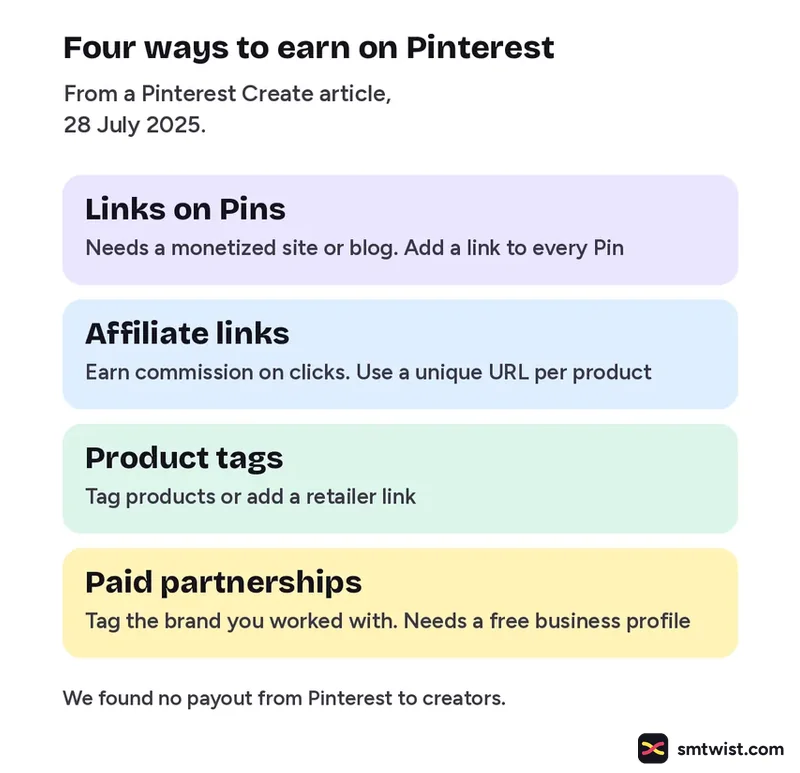
A Pinterest Create article from 28 July 2025 names four routes. We have not tried any of them.
| Route | What Pinterest says |
|---|---|
| Links on Pins | Needs a monetized site or blog. Add a link to every Pin |
| Affiliate links | Earn commission on clicks. Use a unique URL per product |
| Product tags | Tag products or add a retailer link. Add several per Pin |
| Paid partnerships | Tag the brand you worked with. Needs a free business profile |
Paid Partnership Label Steps
A paid partnership is content a creator makes with a brand it has a material connection with. The deal is set up outside Pinterest. The tool works only in the app. The steps below are paraphrased from Pinterest Help and were not tried on an account.
- Create the Pin Tap Next and fill in its details.
- Switch on the label Open Advanced settings and switch on Add paid partnership label.
- Add the brand Tap Add a brand partner and choose the brand.
- Publish The tag request reaches the brand after you publish.
Four limits come from the same article. A Pin takes one brand. A label cannot be added after publishing. A removed tag cannot be added again. Creators cannot promote their own labeled Pins, because only the brand partner can use them as Idea ads. Until the brand approves the tag, the label shows without its name.
Affiliate Link Rules
Pinterest's commercial content guidelines were last updated in April 2025. Their affiliate rules ask you to:
- Follow the paid partnership guidelines.
- Operate one Pinterest account in general.
- Post affiliate content that is original and adds unique value.
- Be open about the commercial nature of your content and your links.
Fake accounts, save swaps and large volumes of repeated affiliate Pins are not allowed. Paid partnerships must disclose their commercial nature, for example with #ad. Businesses cannot pay people for every Pin they save.
Amazon Storefront Linking
Pinterest Help says connecting Amazon is only for eligible creators. A Storefront link needs a business account, the Amazon Influencer Program and an Amazon Storefront. Tagged Amazon products get automatic affiliate links and an affiliate disclosure shows on those Pins. Brazil based creators cannot link a personal Amazon account.
What is Still Unconfirmed
No source we read gives an earnings figure or a follower minimum. We found no payout from Pinterest to creators. The Pinterest Create article says nothing about countries. The Amazon Help article carries no date. Rules and tools change, so read the current policy before you add links or a label.
Where This Topic Fits
This topic sits inside our Pinterest section, next to Pinterest Marketing for Business, Selling and Creators and Pinterest Analytics: Metrics, Filters and SEO Advice. For a platform that does list a payout program, see how X says you can make money on Twitter. A guide appears here the day it goes live and is marked Tested or Checked, as our editorial policy explains. Changes are logged on our change log. Namrata Arora edits this section. To look up a term, use the social media glossary or our site search.
Sources: Pinterest Create on making money, Pinterest Help on paid partnerships for creators, Pinterest Commercial and Branded Content Guidelines and Pinterest Help on connecting Amazon.
FAQ
Does Pinterest pay creators directly?
We found no Pinterest source that describes a payout from Pinterest to creators. Pinterest's own advice lists links, affiliate links, product tags and paid partnerships. Income in every case comes from your site or your partner.
Can I use affiliate links on Pinterest?
Yes, with rules. Pinterest's commercial guidelines ask you to be open about your links and to follow its paid partnership rules. They ban fake accounts, save swaps and large volumes of repeated affiliate Pins.
How do I add a paid partnership label?
Only in the Pinterest app, says Pinterest Help. Switch on the label under Advanced settings when you create the Pin and add one brand. The label cannot be added after the Pin is published.