Pinterest topic
Can't Scroll on Pinterest? What Help Articles Cover
When you can't scroll on Pinterest, the feed or a Pin stops moving when you swipe or use the mouse wheel. Pinterest Help has no article on this fault. This topic gathers the closest official articles. They cover app updates, a mobile browser redirect and a browser checklist. No guide in this topic is published yet. One fix is planned. It covers why you can't scroll on Pinterest. We have not reproduced the problem ourselves, so none of the steps below is marked Tested.
Can't Scroll on Pinterest: What Pinterest Says
We found no Pinterest Help article about a feed that will not scroll. The home feed article treats scrolling as normal use. On a full screen Pin you scroll down to watch more related Pins. It gives no reason for a stuck feed and no refresh steps. The sections below do not claim to fix scrolling. They cover problems that sit nearby.
Update the Pinterest App
Older devices cannot open the current app, says Pinterest Help. Its fix is the latest version or the mobile web. The article gives these minimums and steps.
- Check your system The app needs iOS 14.0 or later or Android 7.0 or later.
- Open the store Use the App Store on iPhone or iPad. On Android use Google Play or the Amazon Appstore.
- Tap Update Search for Pinterest and tap Update.
- If you cannot update Upgrade the system if your device can take the update. If not, use Pinterest in a mobile browser.
You can also place Pinterest.com on your home screen from Chrome or Safari, the article adds.
Mobile Browser Sends You to the App Store
A separate article covers being redirected to the App Store or Google Play when you open Pinterest in a mobile browser. The fix given is to clear the cache and cookies in that browser. No cause is named. The article also advises downloading the Pinterest app from the App Store, Google Play or the Amazon Appstore.
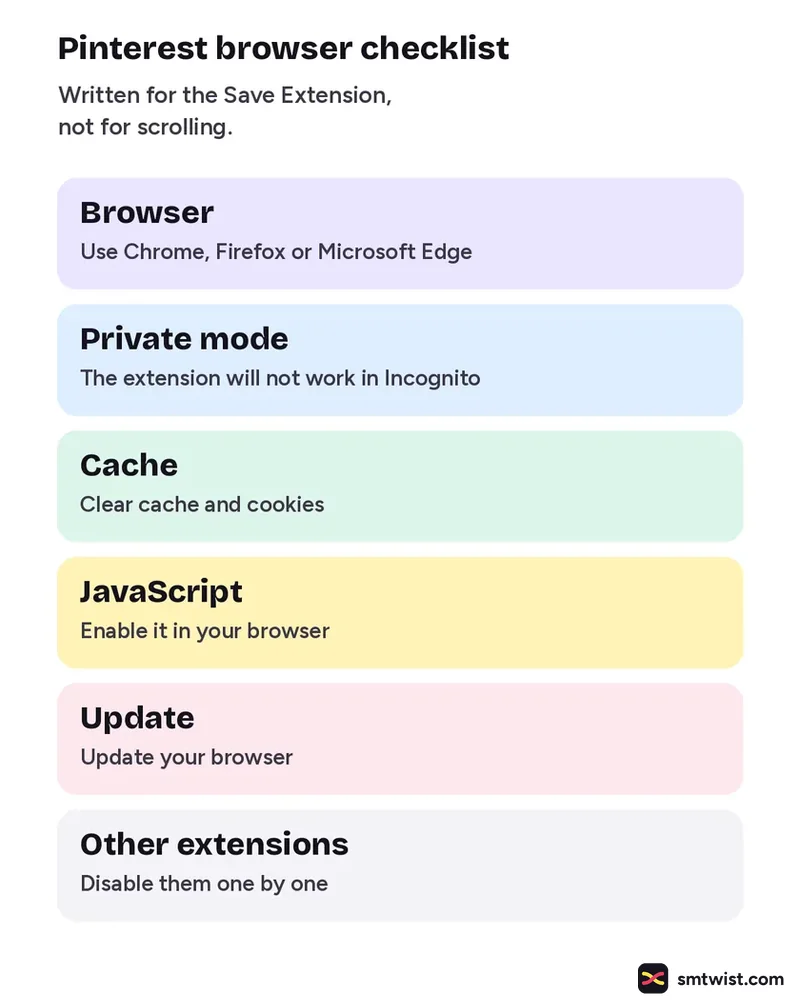
Browser Checklist From the Save Extension Article
The steps below are listed for trouble with the Pinterest Save Extension. They are written for that extension and not for scrolling. Treat them as a record of what Pinterest itself checks in a browser.
| Step | Pinterest wording |
|---|---|
| Browser | Use Chrome, Firefox or Microsoft Edge |
| Private mode | The extension will not work in Incognito |
| Cache | Clear cache and cookies |
| JavaScript | Enable it in your browser |
| Update | Update your browser |
| Other extensions | Disable them one by one |
What is Still Unconfirmed
No Pinterest article we read names a cause of a scrolling fault or a fix for it. None of these articles carries a date. The home feed article gives no loading rules. Pinterest's contact form says only that you can describe your issue and get a reply by email. We could not read what it asks you to include. Treat every step here as a place to look first and not as a confirmed repair.
Where This Topic Fits
This topic sits inside our Pinterest section, next to How to Post on Pinterest: Create, Schedule and Delete and Pinterest Analytics: Metrics, Filters and SEO Advice. A guide appears here the day it goes live and is marked Tested or Checked, as our editorial policy explains. Changes are logged on our change log. Namrata Arora edits this section. To look up a term, use the social media glossary or our site search.
Sources: Pinterest Help on exploring the home feed, Pinterest Help on upgrading the app, Pinterest Help on being sent to an app store, Pinterest Help on trouble with the Save Extension and Pinterest Help contact options.
FAQ
Does Pinterest have a help article for scrolling problems?
Not in the sources we read. Pinterest Help covers updating the app, mobile browser redirects and the Save Extension. None of them names a scrolling fault, so we cannot say what causes it.
Which phone versions does the Pinterest app need?
iOS 14.0 or later and Android 7.0 or later, says Pinterest Help. On an older device you can upgrade the system if it can take the update or use Pinterest in your mobile browser.
Why does Pinterest keep sending me to the app store?
The redirect is tied to data stored by your mobile browser, per Pinterest Help. Its fix is to clear the cache and cookies in that browser. Pinterest names no cause.