Other platforms topic
SoundCloud Album Rules, Upload Limits and Payout Facts
SoundCloud gives you albums, an upload limit and a way to get paid, and every one has its own rules. This topic gathers what SoundCloud Help and two other SoundCloud sources say about all three. No guide in this topic is published yet. Two are planned. They cover how to make an album on SoundCloud and how many followers on SoundCloud to get paid. We have not made an album or applied for monetization on a SoundCloud account ourselves.
How to Make an Album on SoundCloud
SoundCloud Help says an album is created by default when you upload several tracks. To release music officially, you mark a playlist as an Album, EP, Single or Compilation. It then appears under the Albums tab on your profile. The order below comes from SoundCloud Help. It was not tried on an account.
- Open Upload Select Upload in the top navigation bar.
- Add the tracks Choose files or drag and drop several files onto the upload screen.
- Upload and save Let the upload finish, then save.
- Set the type Open your albums, click the pen icon and choose the playlist type. A release date is set in the same section.
Free and Pro users who go over their upload limit can also have some tracks hidden to make room for new uploads, SoundCloud Help warns. The free Next plan caps audio at 2 hours, with a 4GB maximum per upload.
How Many Followers on SoundCloud to Get Paid
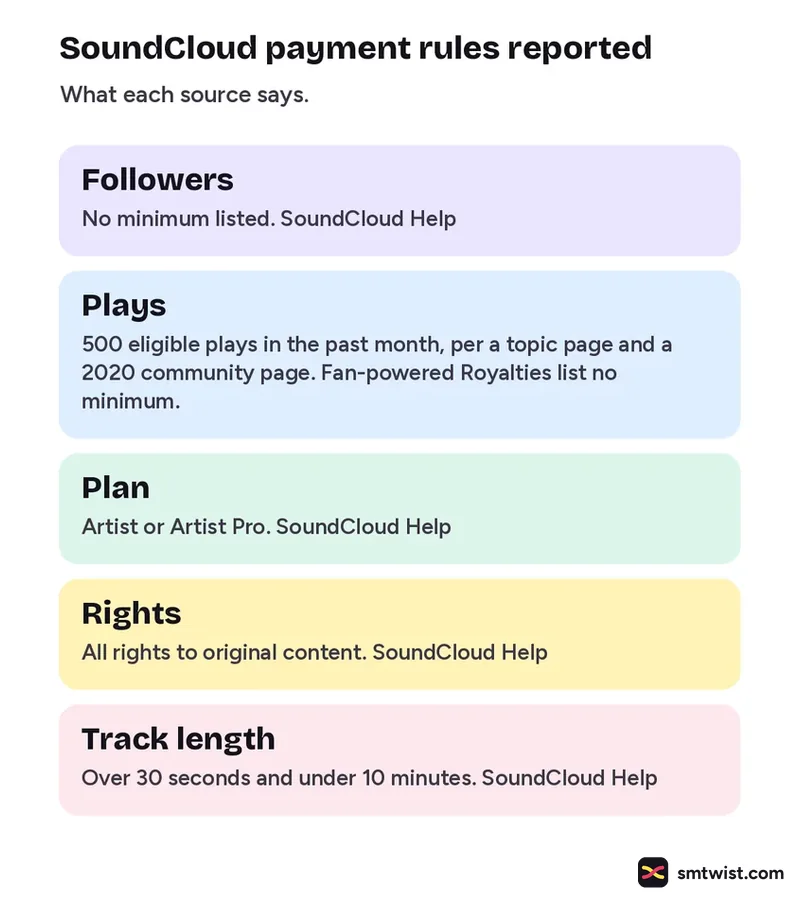
Followers on SoundCloud do not appear in any payout rule that SoundCloud publishes in the sources we read. The rules for monetizing a track come from SoundCloud Help. A SoundCloud topic for 2026 and an older community post add a play count. Read the right hand column, because the sources do not agree.
| Rule | What is reported | Source |
|---|---|---|
| Followers | No minimum listed | SoundCloud Help |
| Plays | 500 eligible plays in the past month | SoundCloud topic and a 2020 community post |
| Plays | No minimum to earn Fan powered Royalties | SoundCloud Help |
| Plan | Artist or Artist Pro | SoundCloud Help |
| Rights | All rights to original content | SoundCloud Help |
| Track length | Over 30 seconds and under 10 minutes | SoundCloud Help |
Unofficial covers and remixes, mashups, DJ sets, audio recordings and podcasts cannot be monetized, per SoundCloud Help.
How Monetizing a Track Works
Monetization is not switched on for you, says SoundCloud Help. The steps below are paraphrased from its article and were not tried on an account.
- Open Monetization Go to the SoundCloud for Artists dashboard and click Monetization.
- Submit the track If it has no ISRC code you can request one while you enter the details.
- Wait for review SoundCloud Help says review takes up to 5 business days.
- Read the status A blue dollar sign and the word Monetizing show that the track is live. A flagged track can be resubmitted with licensing papers.
What SoundCloud Reports About Payouts
Fan powered Royalties follow every fan rather than a shared pool, according to SoundCloud Help. Earnings depend on how much of a fan's monthly listening went to your music and on the ads that fan saw or their subscription. It gives no formula or percentage.
The SoundCloud topic gives a range of about $2.50 to $4.00 per 1,000 monetized streams. It describes this as an estimate that varies with listener location and subscription type. The distribution fee also became 0% on 31 October 2025, down from 20%, per SoundCloud Help. It adds that SoundCloud can now pass payment processing fees on to users.
What is Still Unconfirmed
The 500 play rule appears in a 2026 topic and in a 2020 community post. It does not appear in the current SoundCloud Help articles we read. We could not tell which one applies today. The sources also name the plan differently. One says Artist or Artist Pro and another says Next Pro. The list of eligible countries was not in any source we read. The per stream range is an estimate and not a rate. No source we read ties followers on SoundCloud to a payout. Look at Monetization in your own dashboard before you plan around any figure.
Where This Topic Fits
This topic sits inside our Other Platforms section, next to Clubhouse App Explained and Bluesky Statistics by Date. A guide appears here the day it goes live and is marked Tested or Checked, as our editorial policy explains. Changes are logged on our change log. Namrata Arora edits this section. To look up a term, use the social media glossary or SMTwist search.
Sources: SoundCloud Help on uploading albums, SoundCloud Help on the free upload limit, SoundCloud Help on starting monetization, SoundCloud Help on 3 ways to monetize, SoundCloud Help on Fan powered Royalties, SoundCloud Help on the October 2025 terms update, SoundCloud on pay per stream and SoundCloud community post on who can monetize.
FAQ
How much audio can I upload to SoundCloud for free?
The free Next plan caps audio at 2 hours, with a 4GB maximum per upload, according to SoundCloud Help. Past the cap you cannot add new audio until you are back under it. You can remove older uploads or move to the Artist Pro plan, which removes the cap.
Do you need 1,000 followers on SoundCloud to get paid?
None of the SoundCloud sources we read sets a follower minimum, so we found no source for that number. SoundCloud Help lists rights, track length and plan rules instead. Look at Monetization in your own dashboard.
How much does SoundCloud pay per stream?
A SoundCloud topic for 2026 gives about $2.50 to $4.00 per 1,000 monetized streams. It says the amount depends on listener location, subscription type and engagement. SoundCloud Help gives no per stream rate.